
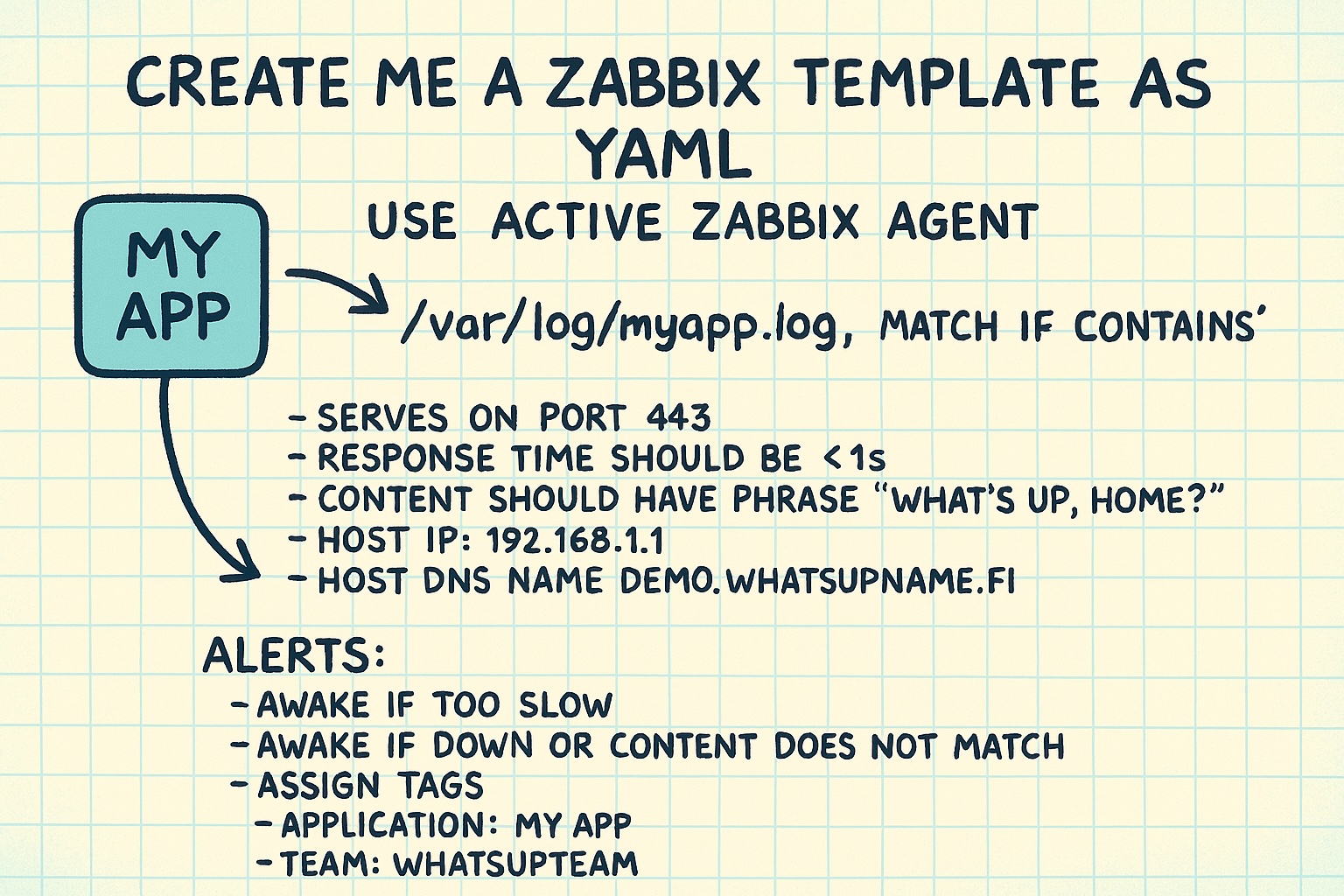
OpenAI's latest ChatGPT 4o image generator has been all the rave lately. But did you know it can help you to generate Zabbix templates and other very technical stuff in the silliest way possible - by just drafting something on paper? This is not perfect yet, coming with all the gotchas that you have with the code generated by LLMs, but oh boy how we live in the future. Observe!
The original drawing
This was me last night just typing... no what's the old-fashioned way... writing on a paper. I feel bad for you as you try to decipher my handwriting.

Let's move on to ChatGPT
Now watch this:

Curious about the output?
Here's the generated YAML. By no means it's perfect, and as said, comes with all the usual LLM generated code gotchas but really this is super futuristic and can be so useful in many scenarios.
zabbix_export:
 version: '6.0'
 templates:
   - template:
       name: "Template MyApp Monitoring"
       description: "Monitors MyApp logs and HTTP(S) availability with content check."
       groups:
         - name: "Templates/Applications"
       items:
         - name: "MyApp log error detection"
           key: 'log[/var/log/myapp.log,Error,,skip,,]'
           type: ZABBIX_ACTIVE
           value_type: TEXT
           tags:
             - tag: Application
               value: MyApp
             - tag: Team
               value: WhatsUpTeam
         - name: "MyApp HTTPS response time"
           key: 'web.test.time[MyApp_HTTPS,download]'
           type: SIMPLE
           value_type: FLOAT
           units: s
           tags:
             - tag: Application
               value: MyApp
             - tag: Team
               value: WhatsUpTeam
       httptests:
         - name: "MyApp_HTTPS"
           agent: "Zabbix"
           steps:
             - name: "Step 1 - Check 443 and content"
               url: "https://demo.whatsupname.fi/"
               status_codes: "200"
               required: "What's up, Home?"
               timeout: 5s
       triggers:
         - expression: '{Template MyApp Monitoring:web.test.time[MyApp_HTTPS,download].last()} > 1'
           name: "MyApp average response time too high"
           severity: AVERAGE
           tags:
             - tag: Application
               value: MyApp
         - expression: '{Template MyApp Monitoring:web.test.fail[MyApp_HTTPS].last()}=1 or {Template MyApp Monitoring:web.test.rspcode[MyApp_HTTPS,Step 1 - Check 443 and content].last()}<>200'
           name: "MyApp is down or content mismatch"
           severity: DISASTER
           tags:
             - tag: Application
               value: MyApp
             - tag: Team
               value: WhatsUpTeam
       macros:
         - macro: '{$MYAPP_HOST_IP}'
           value: '192.168.1.1'
         - macro: '{$MYAPP_HOSTNAME}'
           value: 'demo.whatsupname.fi'
Bonus example
See a car crashing!

