
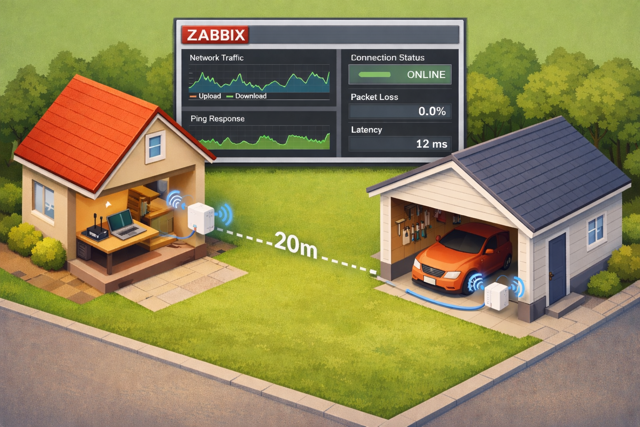
We have a separate garage building maybe 10-20 meters away from our main building. In our garage, we have a small yet cozy little room for guests or for second home office purposes.
Regular Wi-Fi is not working very well there, so I bought.a pair of el cheapo TP-Link Powerline adapters. These guys provide the connectivity over the electric cabling. Plug one directly in power socket and connect an Ethernet cable from my home router to it. In garage, my old Raspberry Pi 4 is connected to another one of these powerline units. Finally, hostapd running on Raspberry Pi 4 turns it into a Wi-Fi access point.
All this works just fine, but one crucial piece was missing: I needed to monitor it. How well does it work? In theory it could provide up to gigabit connectivity between our buildings, but would thet happen in practice? Is the connection speed stable? Ping all good? Latency feeling well? Zabbix to the rescue!
Monitoring a Powerline device
How to monitor these things? It turns out that for Zabbix purposes, there's handy command-line tools available. Which ones to use, depends on what chipset is inside your powerline device. For me, the suitable tool happened to be pla-util.
With it, I can extract all kinds of details out from the device:
Commands:
 check-dak <pla-passphrase>         Check device access key
 check-nmk <passphrase>             Check network membership key
 discover                           Discover power line adapters on subnet
 get-capabilities                   Get capabilities
 get-discover-list                  Get discovered PLAs and networks
 get-hfid ( manufacturer | user )   Get human-friendly id [default: user]
 get-id-info                        Get identification info
 get-network-info ( any | member )  Get network information [default: member]
 get-network-stats                  Get average PHY data rates
 get-station-info                   Get power line adapter information
 reset                              Factory reset power line adapter
 restart                            Restart / reboot power line adapter
 set-hfid <id>                      Set user human-friendly id
 set-nmk <passphrase>               Set network membership key
... but I only do care about the upload and download speeds:
sudo pla-util get-network-stats 50:3d:d1:e9:35:47
Number of stations: 1
Station 1:
 Destination Address (DA):  50:3d:d1:e9:35:47
 Avg PHY Data Rate to DA:    97 Mbps
 Avg PHY Data Rate from DA: 125 Mbps
Now, from here getting the data to Zabbix is simple either over Zabbix API or with good old zabbix_sender, or Zabbix agent, or ... well, pretty much up to you. In my case, with this bash script running from cron every minute.
#!/bin/bash
zabbix_sender -z 127.0.0.1 -s garage -k powerline.download.speed -o $(sudo pla-util get-network-stats 50:3d:d1:e9:35:47 | grep "from DA" | sed -e 's/[^0-9]//g')
zabbix_sender -z 127.0.0.1 -s garage -k powerline.upload.speed -o $(sudo pla-util get-network-stats 50:3d:d1:e9:35:47 | grep "to DA" | sed -e 's/[^0-9]//g')
Zabbix side
In Zabbix, I have a host for the garage connectivity, and as part of that two Zabbix trapper items ready to receive the values.
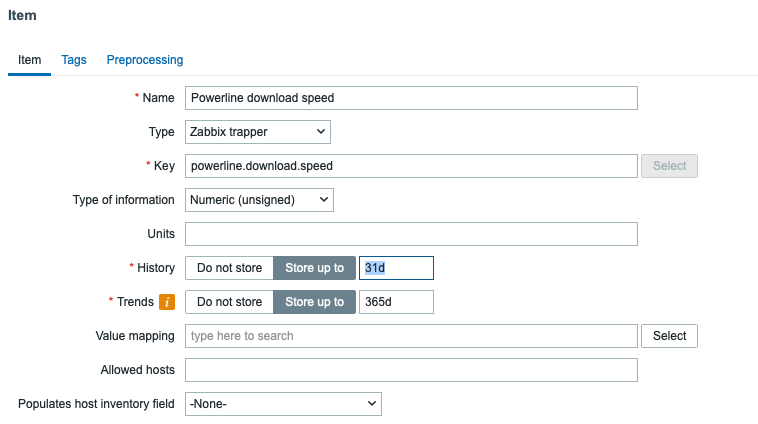
There's also some regular ping tests.

How stable is it?
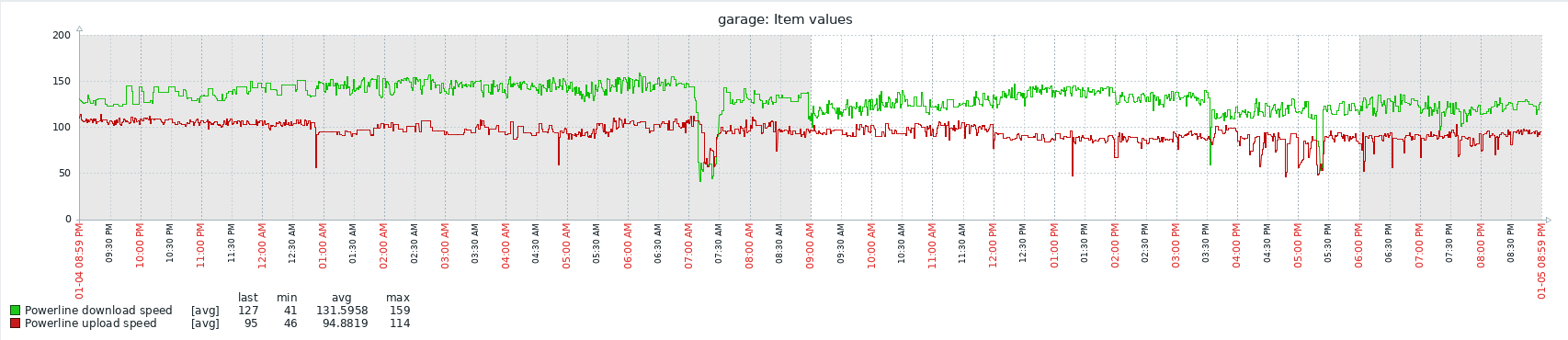
Definitely good enough for random Internet needs. Nowhere near the maximum link capacity, but about 100 Mbit/s between buildings is plenty if all you need to do is some random remote work or a surfing connectivity for random guests. What I have understood is that the throughput of this kind of network can and will vary depending on what other household devices are active. Maybe next I'll need to start monitoring when our washing machine is on or so.
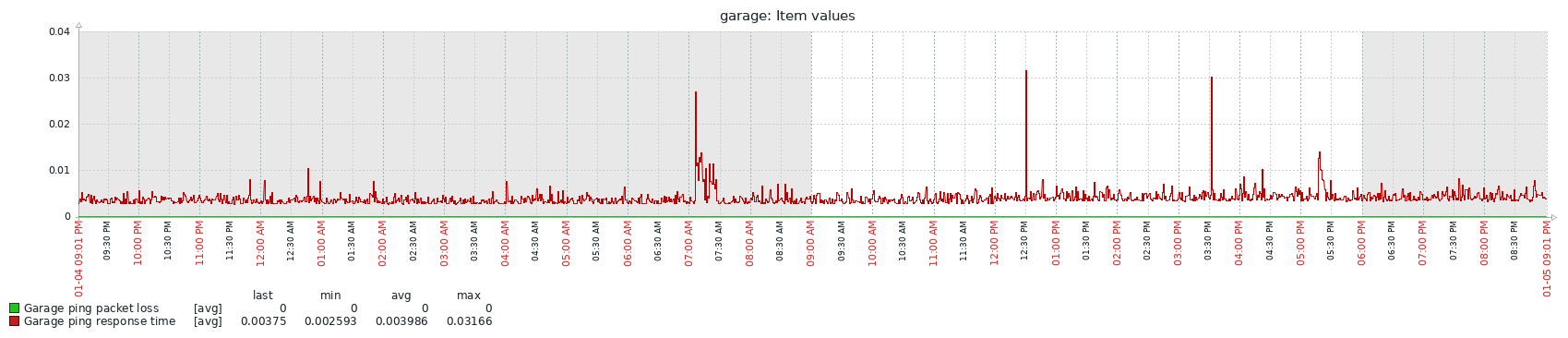
No packet loss, and response time remains fast.
Interesting to see how this experiment goes, as this was my first time fiddling with these devices.
