
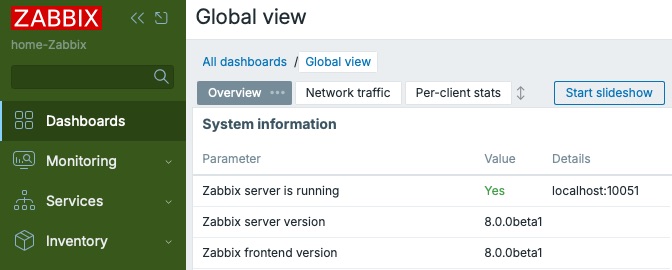
I updated my home Zabbix to Zabbix 8.0.0beta1 a while ago, and now that I've been using it, here's some of the new features I like. In this post, I'll take a glance at some user interface updates that might not be massive but improve the overall experience a lot. In beta1, from new JSON item type to plethora of new templates to performance improvements, many of the bigger new things seem to be under the hood, but I'll skip them for now.
Come on buddies, come to spotlight. Problems view, you first.
New Problems view
Problems view on older Zabbix versions used to be very populated with all kinds of buttons and text fields you could fiddle with. Powerful, yes, but could also be confusing. Zabbix 8.0 clearly wants to clean that up but still remain useful.
Compare 7.x Problems view filtering ...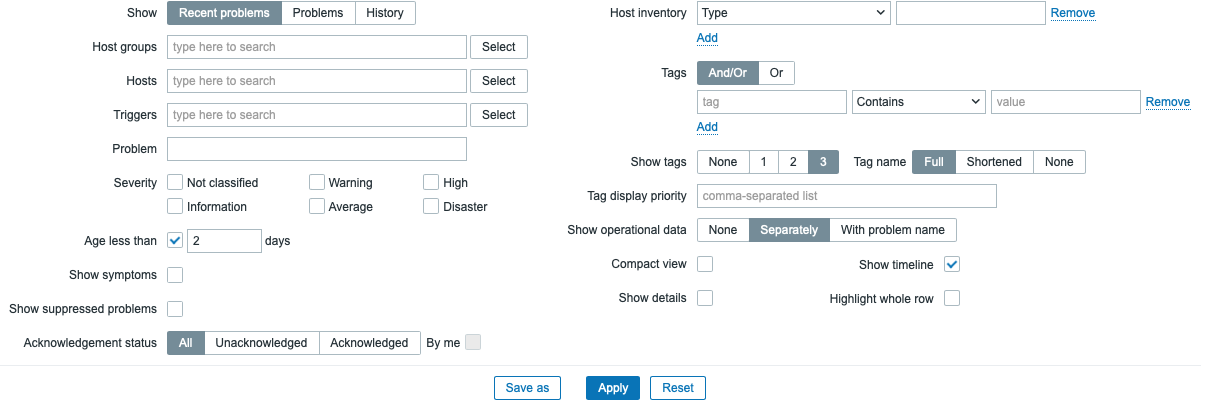
... with Zabbix 8.0 Problems view.
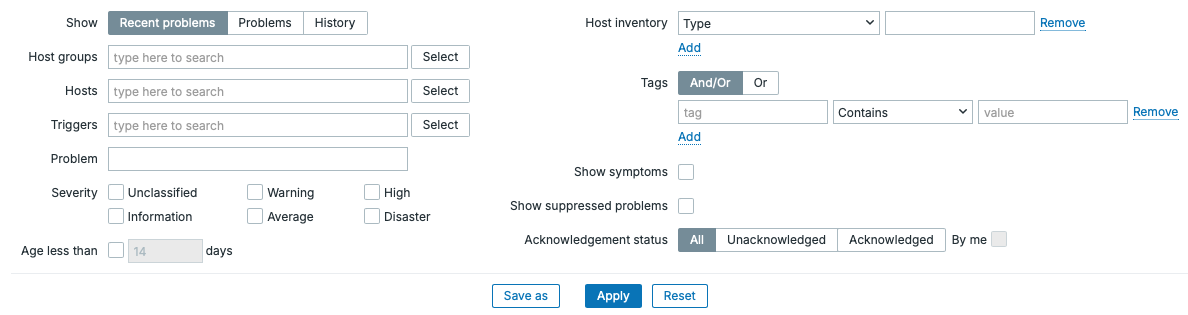
When I first saw this, I momentarily transformed to Grandpa Simpson yelling at the cloud. Then it struck me, there's a reason for the new look.
Table columns customization
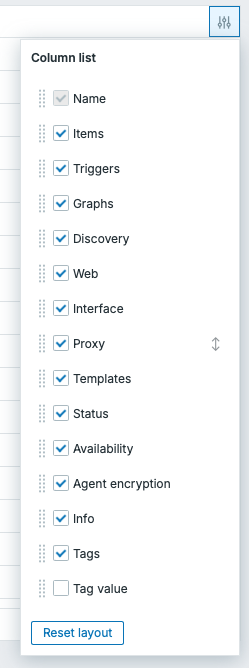
In Problems view, some of the options, such as that "Show operational data" on 7.x and earlier have now been moved to a new hamburger menu, but made better, as from now on you can conveniently filter which columns you want to see, and of course that Operational data is one of them. Likewise, for example Compact view has been moved to that same new dropdown.
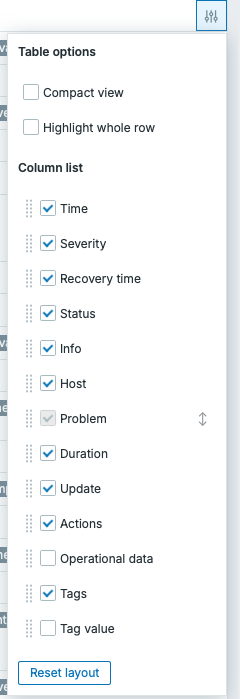
Problems view is not the only table that has this new option, it's also present at least on Configuration --> Hosts.
Enhanced Graph widget
Graph widget has seen some enhancements here and there, but this simple new feature makes it much more useful than before: you can invert Y-axis to for example make your network bandwidth monitoring more intuitive for received/sent traffic.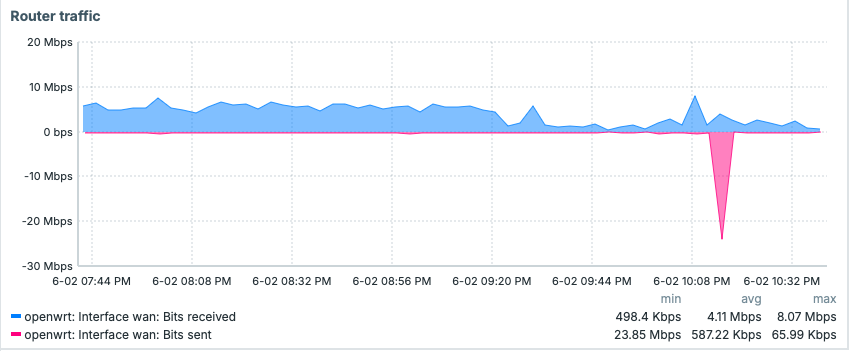
There's also whole new Scatter plot widget, but I didn't experiment with that yet.
Dashboards import/export
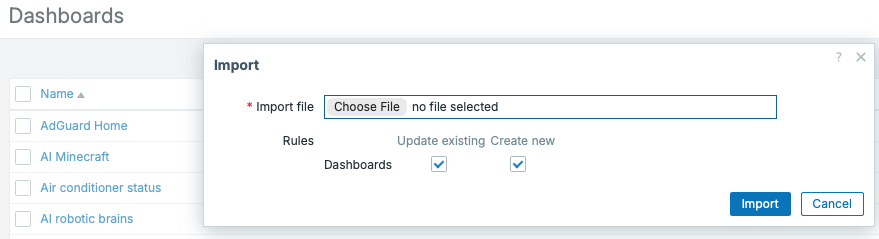
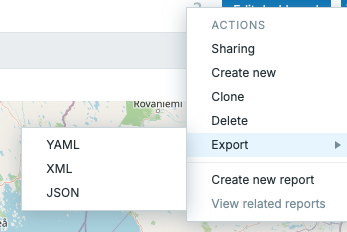
Another one of these FINALLY! new features. It's been possible to easily export/import templates and hosts for example, but for dashboards it's been a different story. Well, the wait is over, now you can export and import your dashboards easily. Yay!
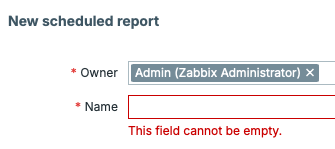
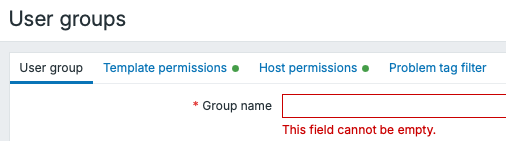
Inline form validation in more places
Finally, the inline form validation is in many more places around the user interface. This can be helpful to spot that tiny error or an element you forgot to fill in.

Audit log export to CSV
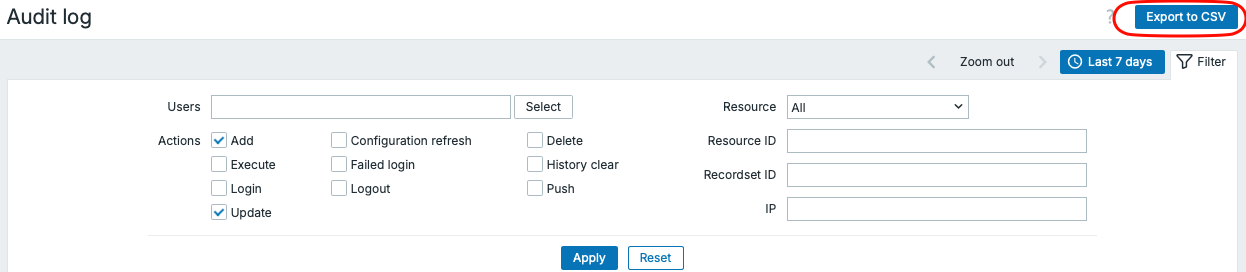
Zabbix has had audit log for long time now -- see who did, what, when, and so forth. The problem has been that going through long audit log have been less than stellar experience. Now, a single button fixes that: just click on Export to CSV, and go through the log with the tool you like, let that be a database, spreadsheet or AI.
There's more tweaks here and there from new default font to improved icons and overall cleanup. Going back to production Zabbix 7.0 feels so old-fashioned. Cannot wait for the rest of the new features to drop to 8.0, another great release is looming in the horizon!
