
Skip to header Skip to main navigation Skip to main content Skip to footer

Search form

Site branding

Home
What's up, home?

Main navigation

  • Home
  • Story mode
  • About
  • Features
  • Hardware list
  • Videos
  • GitHub (opens in new tab)
  • Daily AI generated stories (opens in new tab)

Part 41: Measuring CO2 with a device that would not want me to do it with Zabbix

Breadcrumbs

Breadcrumb

  • Home
  • Part 41: Measuring CO2 with a device that would not want me to do it with Zabbix

Main page content

By whatsuphome | 5:52 AM EET, Tue March 07, 2023

TL;DR

My Netatmo environmental monitor lacks a developer API and is not supported by Cozify, so I used iOS Siri Shortcuts to query CO2 values through HomeKit on my iPhone. The readings are saved to a text file that Zabbix picks up via a MacBook agent, enabling
Grafana dashboard

Can you integrate a CO2 meter which really wouldn't want you to integrate it with Zabbix, with Zabbix? Of course you can! By day, I'm a Lead Site Reliability Engineer in a global cyber security company. By night, I monitor my home with Zabbix & Grafana and do some weird experiments with them.

I have an el cheapo environmental monitor by Netatmo, showing the temperature, humidity, CO2 level and noise level.
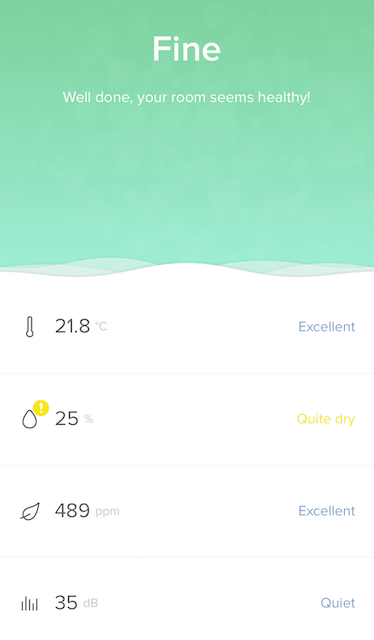
Netatmo Home Coach phone app
Yes there's an app for that but...

This device is an IoT monitor with a phone app, but even though Netatmo has a nice developer API for its products, this particular model does not support that functionality. Also, my dear Cozify does not support the device.  So, is my all hope lost for getting the data to Zabbix? Of course not!

Yes, it's Siri, once again


As the device is HomeKit compatible, I was able to utilise iOS Shortcuts for this magic to happen. Even though I do not have AppleTV or HomePod to make the home automations to work through HomeKit, my iPhone can query the values from the Netatmo device just fine.

First I created a shortcut called Check CO2.
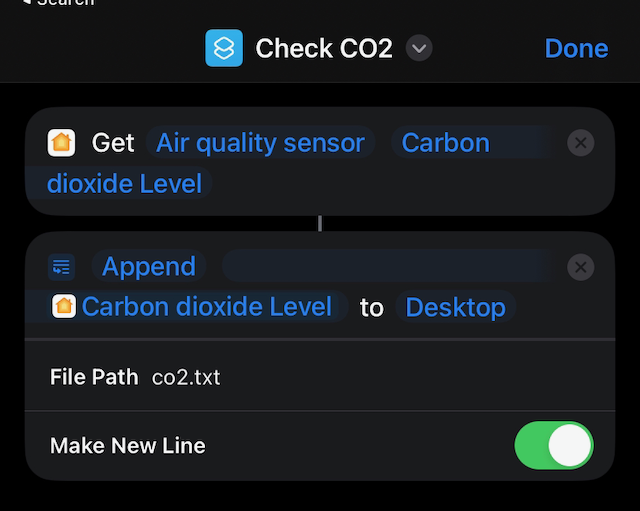
Check CO2 shortcut

... and then I had the most awful time when I had to manually add all these entries to be run exactly on the hour to Shortcuts Automations. Dear Apple, I want a cronjob compatible option for defining these, so I could have just done 0 * * * * Check_CO2 or so.
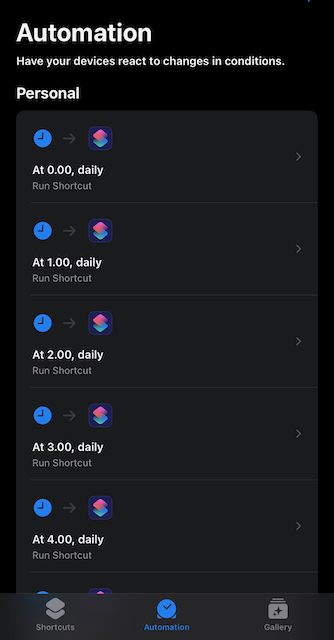
Check CO2 scheduled checks on Shortcuts Automations.

Let's go to Zabbix


By now this probably starts to get boring to you, my readers, as I seem to utilise this same Siri & text file methodology too often. But hey, this works! My MacBook reads the text file, parses the numeric value from there and I have my data.
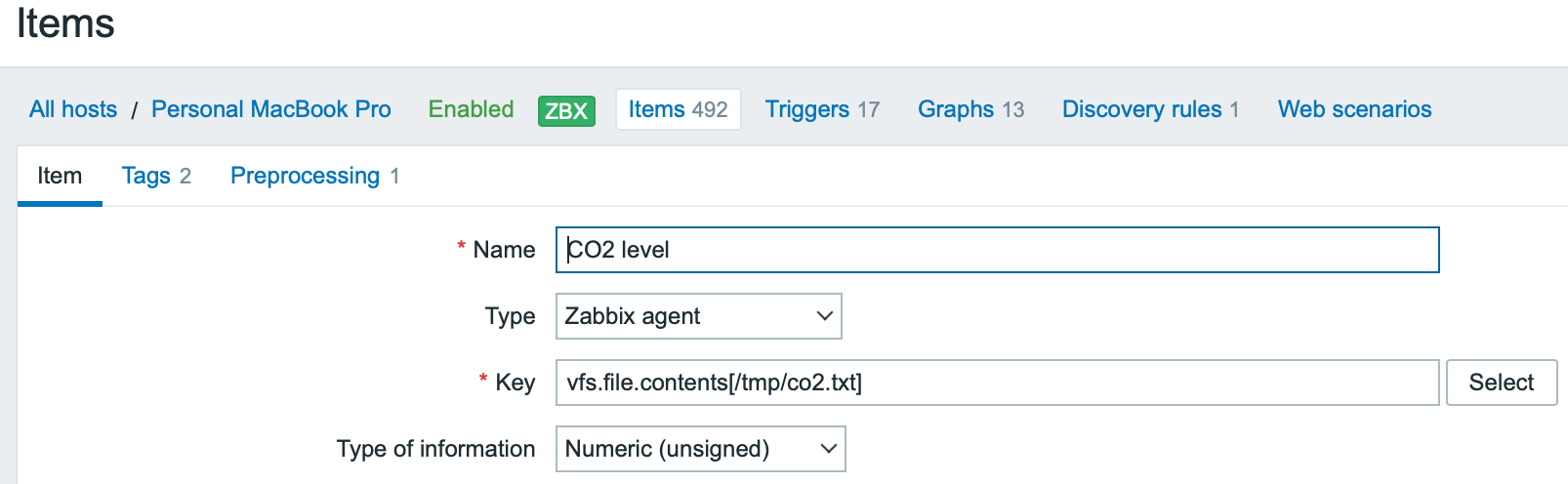
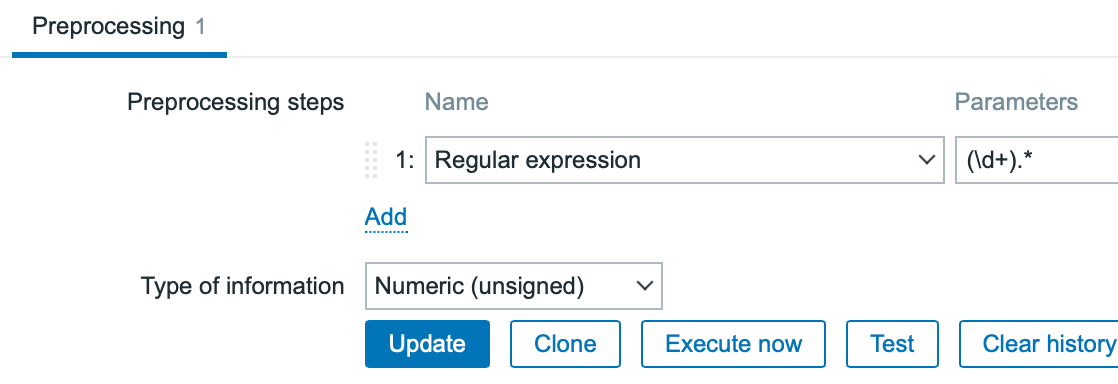
Zabbix item
Here's the item...


Item pre-processing
... some preprocessing to snip only the numeric part ...


Latest data
... and see, we have our data!


Adding dashboards


I added the value to be part of the quick glance overview dashboard of mine, of course with the dynamic background widget color.
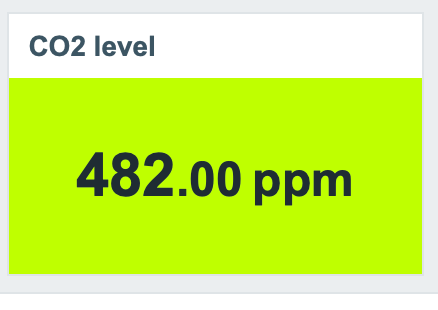
 

Widget

I also created a full-page dashboard for it:
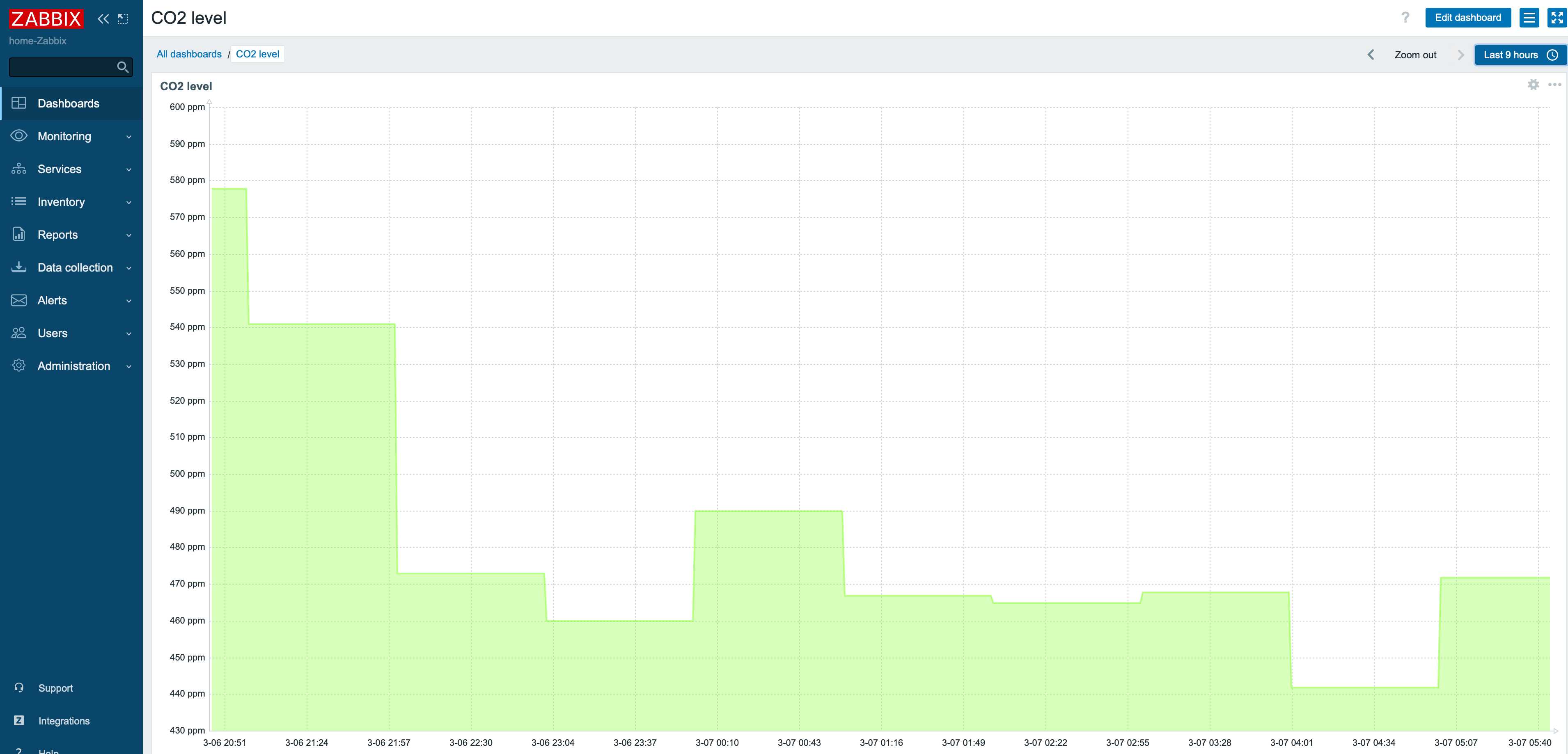
CO2 dashboard

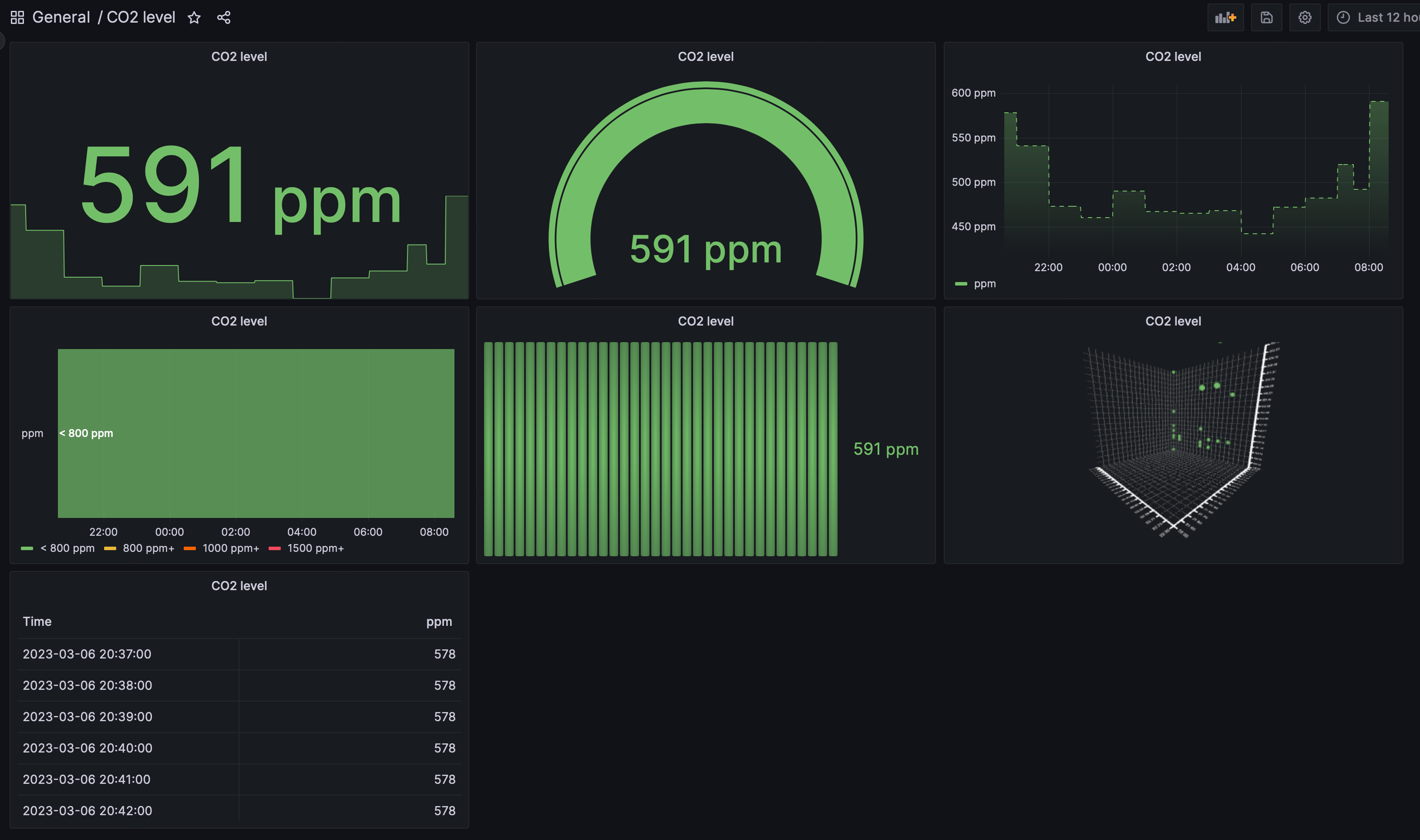
... and, to demonstrate Grafana's different panels, here's a Grafana dashboard showing the value with different kinds of panels.
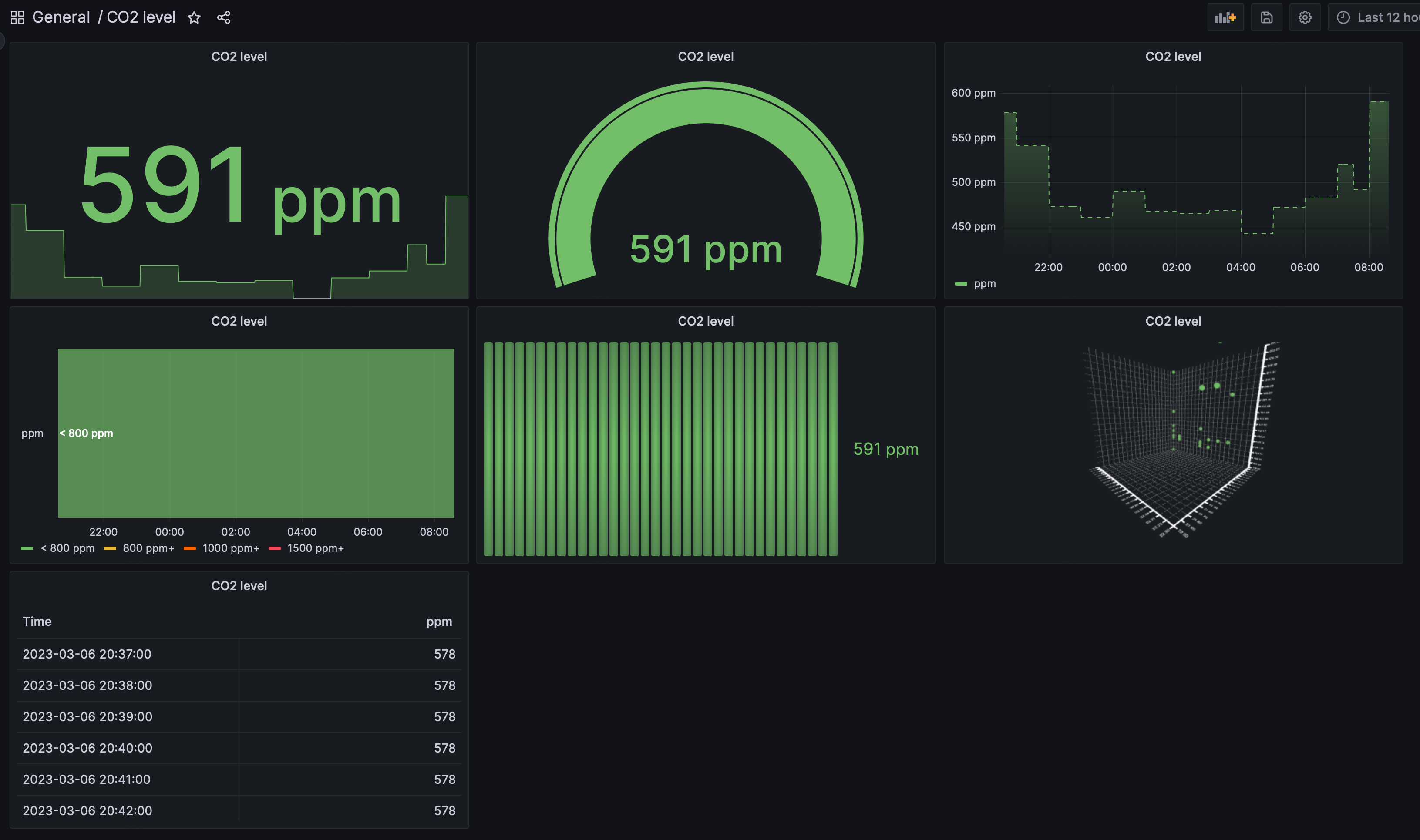
Grafana dashboard

Alerting


I also added some alerting, so we'll get to know if the air quality is somehow bad even if we would not be at home. We just got our ventilation unit serviced so in theory the air in our house is very fresh. Now we'll see about that through Zabbix.
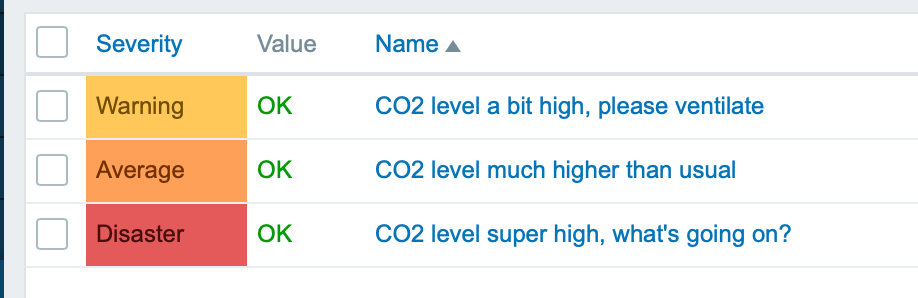
Zabbix triggers

I have been working at Forcepoint since 2014 and writing this blog is always a breeze of a fresh air as I get to monitor the real world.

whatsuphome
zabbix
grafana
iot
airquality
netatmo
siri
  • Allowed HTML tags: <a href hreflang> <em> <strong> <cite> <blockquote cite> <code> <ul type> <ol start type> <li> <dl> <dt> <dd> <h2 id> <h3 id> <h4 id> <h5 id> <h6 id>
  • Lines and paragraphs break automatically.
  • Web page addresses and email addresses turn into links automatically.
My Netatmo environmental monitor lacks a developer API and is not supported by Cozify, so I used iOS Siri Shortcuts to query CO2 values through HomeKit on my iPhone. The readings are saved to a text file that Zabbix picks up via a MacBook agent, enabling

Search

Who am I?

  • Janne Pikkarainen from Finland 🇫🇮
  • Began with computers in 1986 with C64
  • Doing IT for living since 1999
  • Principal Site Reliability Engineer at Forcepoint
  • A Zabbix Summit speaker every year since 2022
  • Walking, talking Zabbix commercial

Support my project

Buy me a coffee 

Footer menu

  • Contact

What's up, home? | Janne Pikkarainen | contact(at)whatsuphome.fi | 2022 - 2026

Developed and Designed by Janne Pikkarainen
