
Can you monitor tripped fuses with Zabbix? Of course you can!
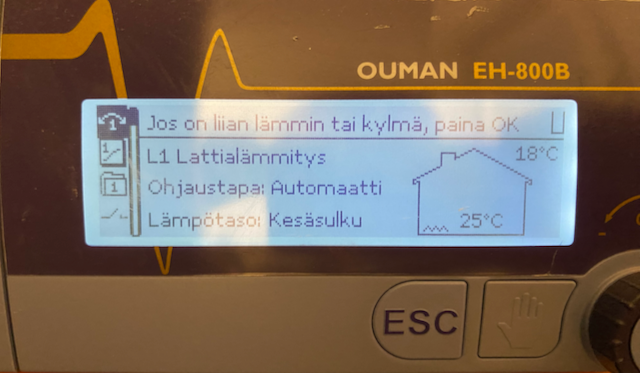
Some time ago our district heating got some beating. There was a heavy storm which probably did cause the fuse for our district heating device to trip, and I did only notice that after maybe ten hours by accident. I noticed it when I went to check the ventilation control panel, which is in the same closet than our district heating device.

But then I noticed that below these devices there's extra power sockets which I don't use for anything. Those power sockets are connected with the same fuse than the district heating device. Clearly, this situation needs some Zabbix love.
Power socket goes smart

To start monitoring the availability of the district heating device, I connected a smart power socket to one of the power sockets. Just by connecting that to power socket might not be enough for reliable monitoring, as the availability checks and status changes with these Nexa 433 MHz devices can be weird over Cozify, as the timestamps might not be updated in real-time.
But, this is a start. Next I'm going to find something else to connect to it -- maybe a Wi-Fi extender, which I would need anyway. If the extender would go offline, that would be a clear hint that something could be wrong with the power. Or, I'll hunt for a more feature-rich power socket which would update its status in real-time.
Adding to Zabbix
So, after I get something nice to connect to the smart socket, I'll add it to my Zabbix. Then it will be shown among the other devices like this. That's a plain text panel with value mapping doing the green checkmark / red X rendering.

There would be better ways
Our district heating device does not have any smart functionality, but if I would by more Raspberry Pi devices, I could then buy a parallel port connected module to our district heating device, and start gathering information and also controlling the device over that. I have not done that yet, but could very well be that one day I will do. Until then, my temporary attempt to notice any power outages are now up and running.
Additionally, Cozify has support for smart DIN modules, in which case this kind of stuff would be reported directly from the electricity panel in this house. But I haven't gone that far yet, and anyway this blog tries to monitor things in creative, not necessarily obvious ways.
