Skip to header Skip to main navigation Skip to main content Skip to footer

Search form

Site branding

Home
What's up, home?

Main navigation

  • Home
  • Story mode
  • About
  • Features
  • Hardware list
  • Videos
  • GitHub (opens in new tab)
  • Daily AI generated stories (opens in new tab)

Breadcrumbs

Breadcrumb

  • Home

Main page content

Part 142: How to use your MacBook Pro trackpad and Zabbix as a scale

By whatsuphome | 8:48 PM EET, Sat March 28, 2026

TL;DR

The MacBook trackpad can weigh objects via TrackPad Weight Scale, and it exposes an API server. I added a Zabbix HTTP item to monitor weight readings continuously — measuring a coffee mug, as you do.
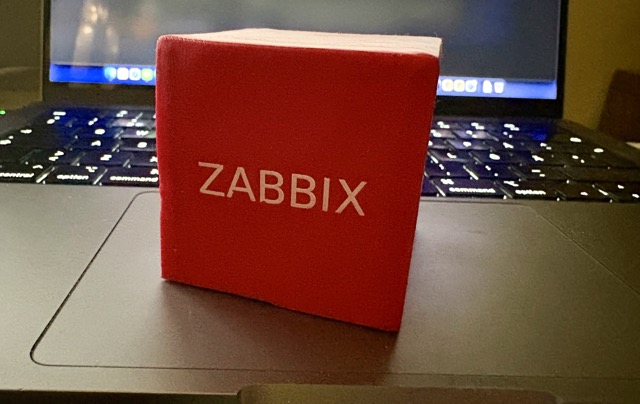
What's up, home? part 142 cover image

Did you know you can use your MacBook Pro trackpad as a scale? Now you know. Did you know that you can also monitor the recordings with Zabbix? Of course you can! 

I stumbled upon TrackPad Weight Scale and I couldn't help myself, I just had to try it out.

Installing TrackPad Weight Scale

Installation was almost as smooth as the GitHub page promises; throw in few commands and you are done. Well, in my case I had to change Sources/TrackPadWeight/TrackPadMonitor.swift line 134 from 

if !self?.hasReceivedMultitouchData == true {

to

if self?.hasReceivedMultitouchData != true {

to make it compile. After the change, 

swift run TrackpadWeight

worked smoothly.

Using TrackPad Weight Scale

Your Mac gains a new icon to its top bar. Click on it and you'll see this:
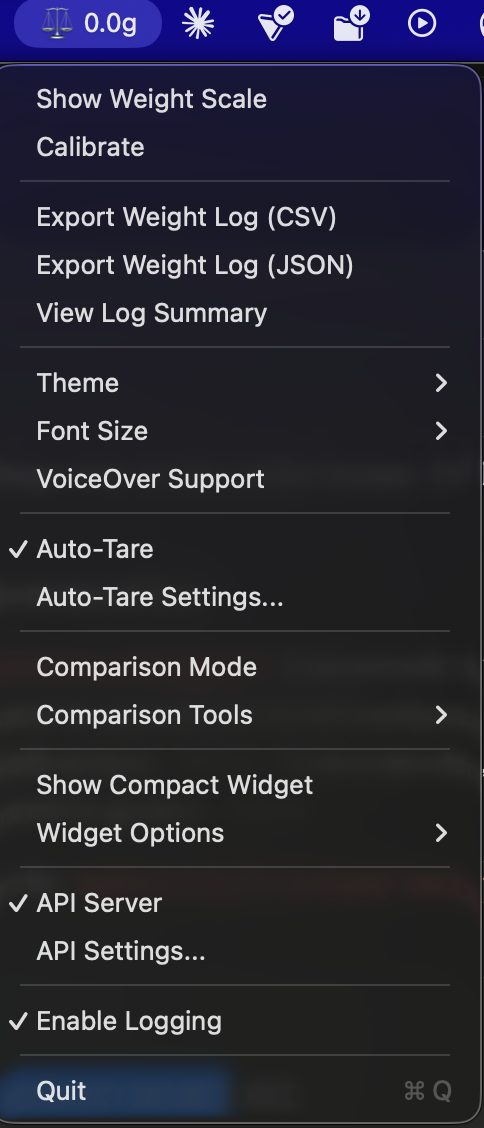
Weight Scale menu on macOS top bar

In my case, I of course enabled the API Server to make this thing available for Zabbix. Now, if I surf to my http://personalmac.whatsuphome.lan:8080/, I get to see
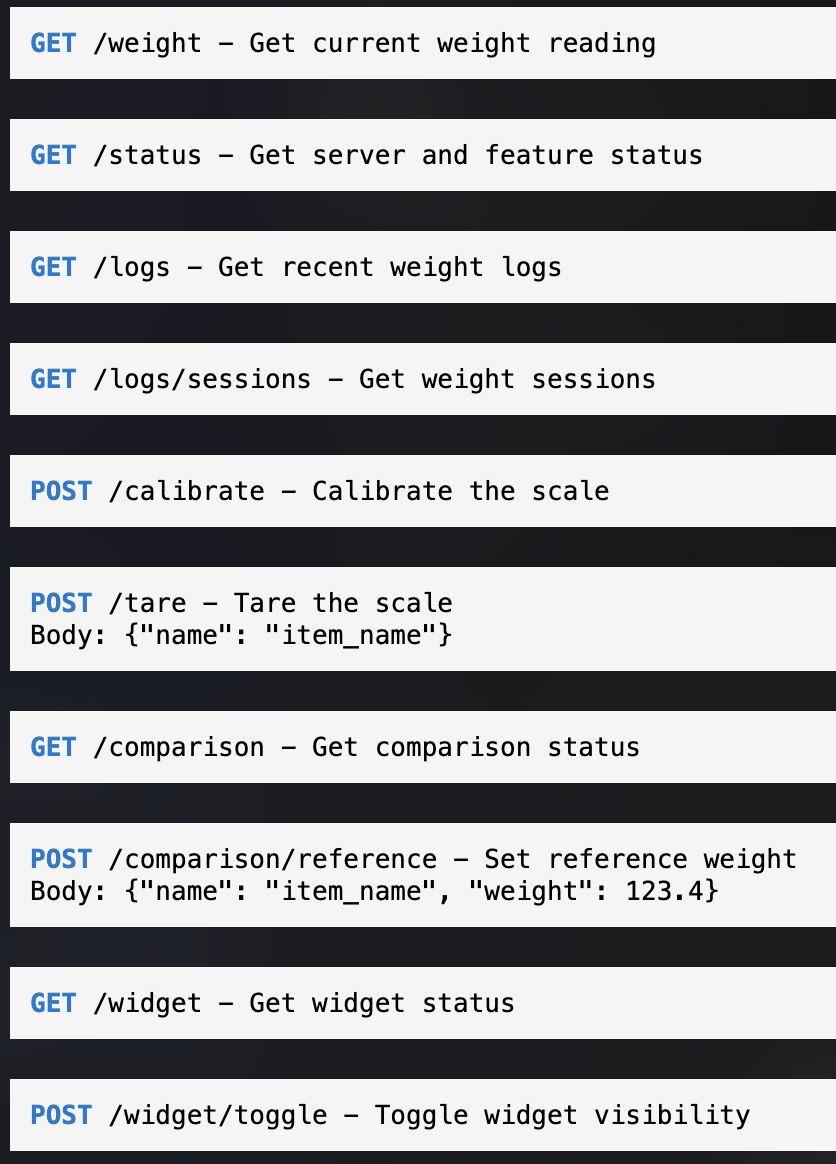
Weight API

Integrating with Zabbix

Now that we have the API, let's try it out. I added a simple HTTP Agent item:
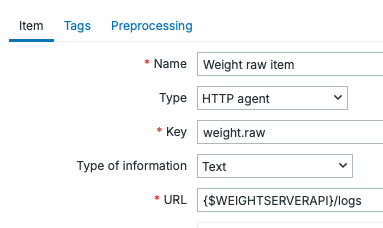
Get /logs to fetch recent readings

Does it work and what does it return? Yes, it works, we get back JSON:
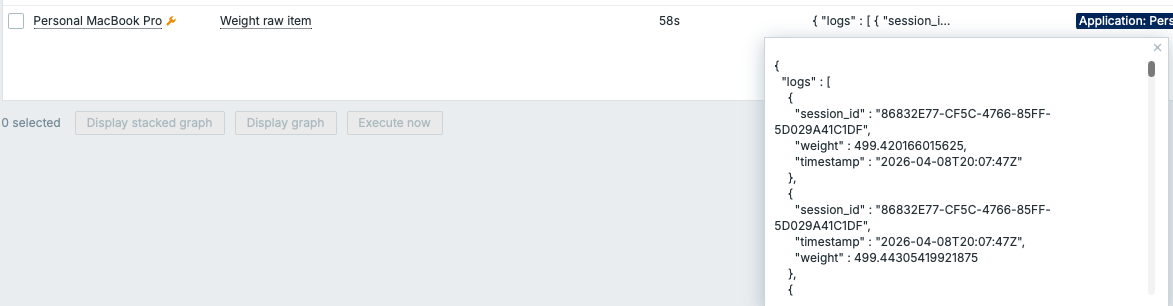
 

Latest Data JSON output
This was easy, so next I added a new dependent item
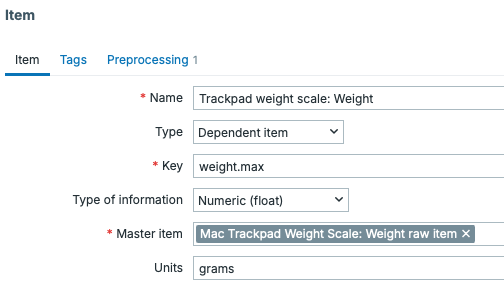
Dependent item for max weight

... and some item preprocessing to get the maximum weight, which likely is the most reliable reading out of the many readings this thing is doing.
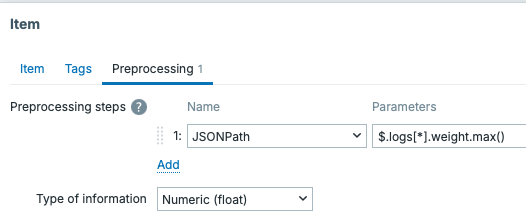
Preprocessing to get the max weight


The result

Can Zabbix now parse my results? Of course it can!

Latest data showing the measurement
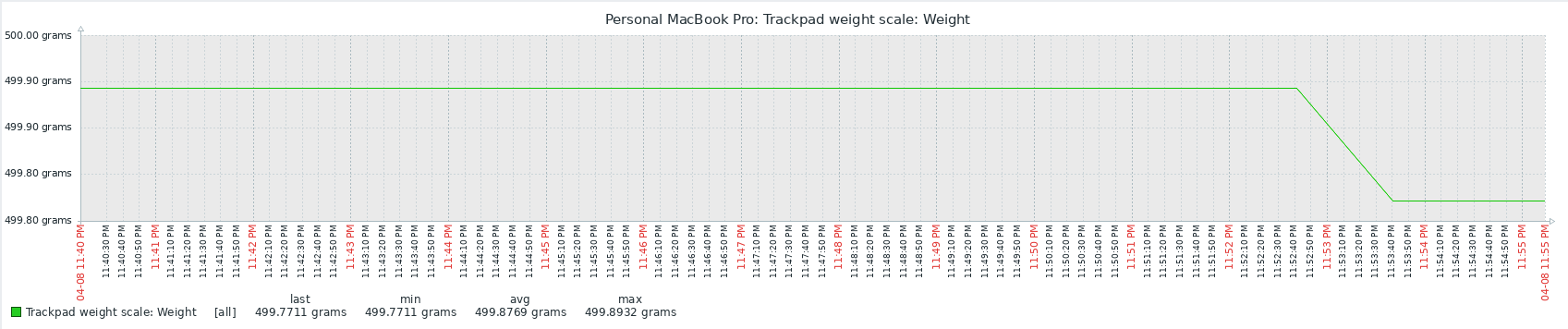
Graph showing the measured values

Isn't life beautiful? With this technique, I would not necessarily know WHAT I measured (unless I stick with a single object, such as my coffee mug), but at least I get to measure something. Wohoo! 

Workaround to get to know what I measured would be to expand this to a custom menu item in Zabbix. The menu item would ask what am I gonna measure, and then the script would send a POST request to /tare. After that.I could go and measure, but nah, didn't bother to do that for this silly little hack.



whatsuphome
zabbix
mac
touchpad
scale
  • Allowed HTML tags: <a href hreflang> <em> <strong> <cite> <blockquote cite> <code> <ul type> <ol start type> <li> <dl> <dt> <dd> <h2 id> <h3 id> <h4 id> <h5 id> <h6 id>
  • Lines and paragraphs break automatically.
  • Web page addresses and email addresses turn into links automatically.
Content blocks
The MacBook trackpad can weigh objects via TrackPad Weight Scale, and it exposes an API server. I added a Zabbix HTTP item to monitor weight readings continuously — measuring a coffee mug, as you do.
Pagination
  • First page « First
  • Previous page ‹ Previous
  • …
  • Page 162
  • Page 163
  • Page 164
  • Page 165
  • Current page 166
  • Page 167
  • Page 168
  • Page 169
  • Page 170
  • …
  • Next page Next ›
  • Last page Last »
Subscribe to

Search

Who am I?

  • Janne Pikkarainen from Finland 🇫🇮
  • Principal Site Reliability Engineer at Forcepoint
  • A Zabbix Summit speaker every year since 2022
  • Walking, talking Zabbix commercial

Support my project

Buy me a coffee 

Footer menu

  • Contact

What's up, home? | Janne Pikkarainen | contact(at)whatsuphome.fi | 2022 - 2026

Developed and Designed by Janne Pikkarainen