

Skip to header Skip to main navigation Skip to main content Skip to footer

Search form

Site branding

Home
What's up, home?

Main navigation

  • Home
  • Story mode
  • About
  • Features
  • Hardware list
  • Videos
  • GitHub (opens in new tab)
  • Daily AI generated stories (opens in new tab)

Part 78: Bullying the poor new Honeycomb widget

Breadcrumbs

Breadcrumb

  • Home
  • Part 78: Bullying the poor new Honeycomb widget

Main page content

By whatsuphome | 10:28 PM EEST, Fri April 19, 2024

TL;DR

I stress tested the new Zabbix 7.0 Honeycomb widget by loading all 3172 active items from my home Zabbix into a single widget to see if it breaks. The dashboard loaded in under three seconds with the honeycomb rendering in about 14 seconds on my
Honeycombs, they are everywhere

Earlier this week, I immediately installed Zabbix 7.0beta3 when it came out. Back then I quickly tried out the new Honeycomb widget with some actual data.

As a regular follower of a weird gaming channel Let's Game It Out on YouTube, I couldn't resist thinking in that channel host Josh voice in my head saying "I wonder if there's a limit..." (to the number of elements you can have on Honeycomb widget).

Select ALL the things!

My What's up, home? Zabbix is very small, with only 3172 active items.

Number of items

Nevertheless, I decided to see what happens if I select ALL of them to be part of my Honeycomb widget, doing it like this:
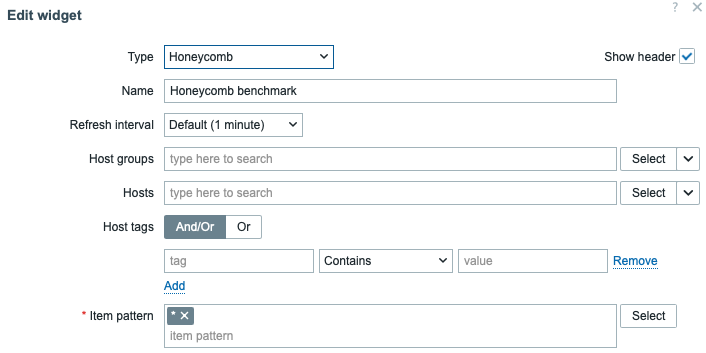
Select ALL the things!


How does it look like?

This is how it looks, with about 3000 elements. Actually the widget even goes bit farther than that if I scroll, but you get the idea. It sure is busy as a bee.
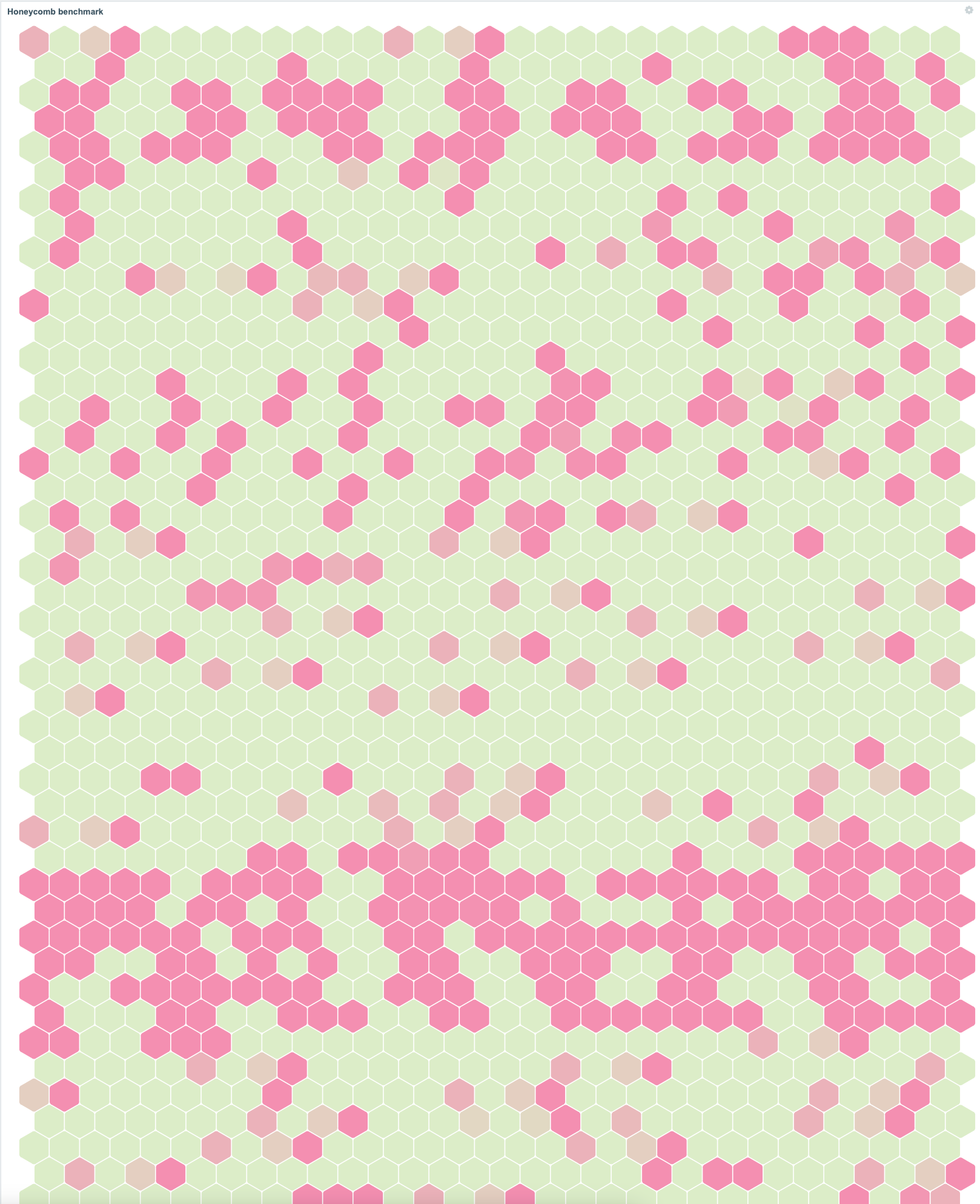
Busy as a bee

How fast does it load?

Keep in mind that this is happening from my already overloaded Raspberry Pi 4 which sure ain't the fastest kid in the town. Anyway, without any further ado, here are the results according to my MacBook Pro M1 Safari: 

  • the overall dashboard loads in less than three seconds
  • for the honeycomb widget to show with the contents, the clock stops at about 14 seconds.

Safari timeline view

Of course, (I hope!) nobody uses honeycombs of that size in the real world, and of course, with actual server hardware, the results would be much faster. But not too bad for a Raspberry Pi!

How about a realistic size Honeycomb widget?

Here are the results from my test dashboard which has some other widgets, too. So here's the widget that gets loaded...
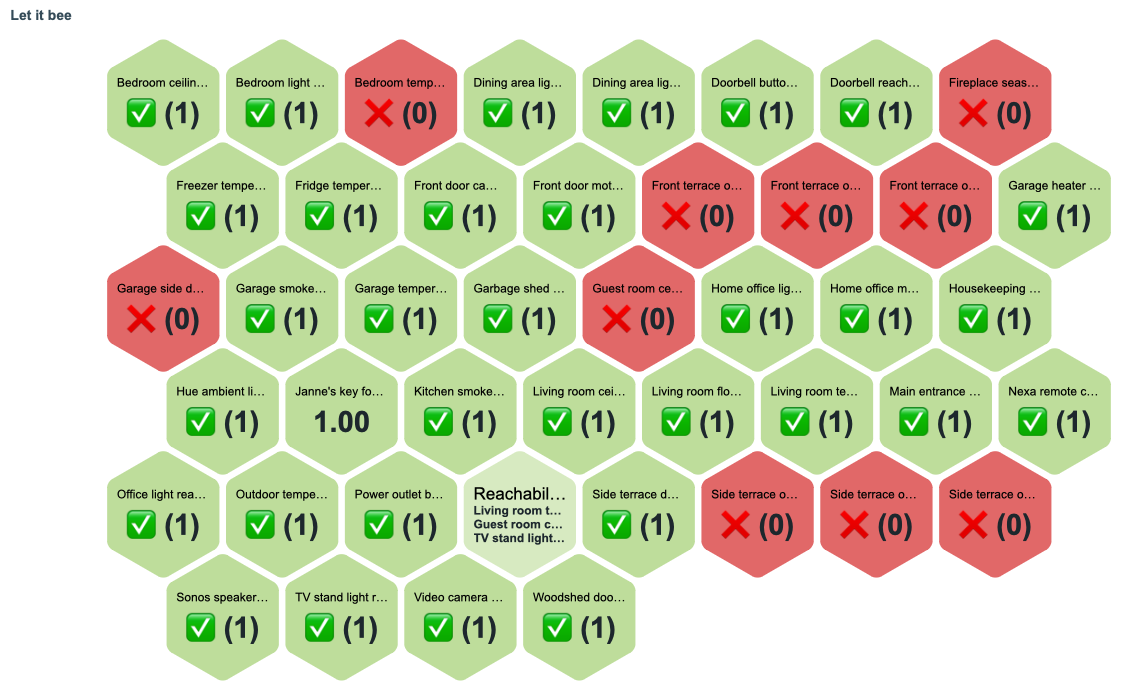
Typical Honeycomb widget


... or here's the full dashboard on which I just test all kinds of widgets ...
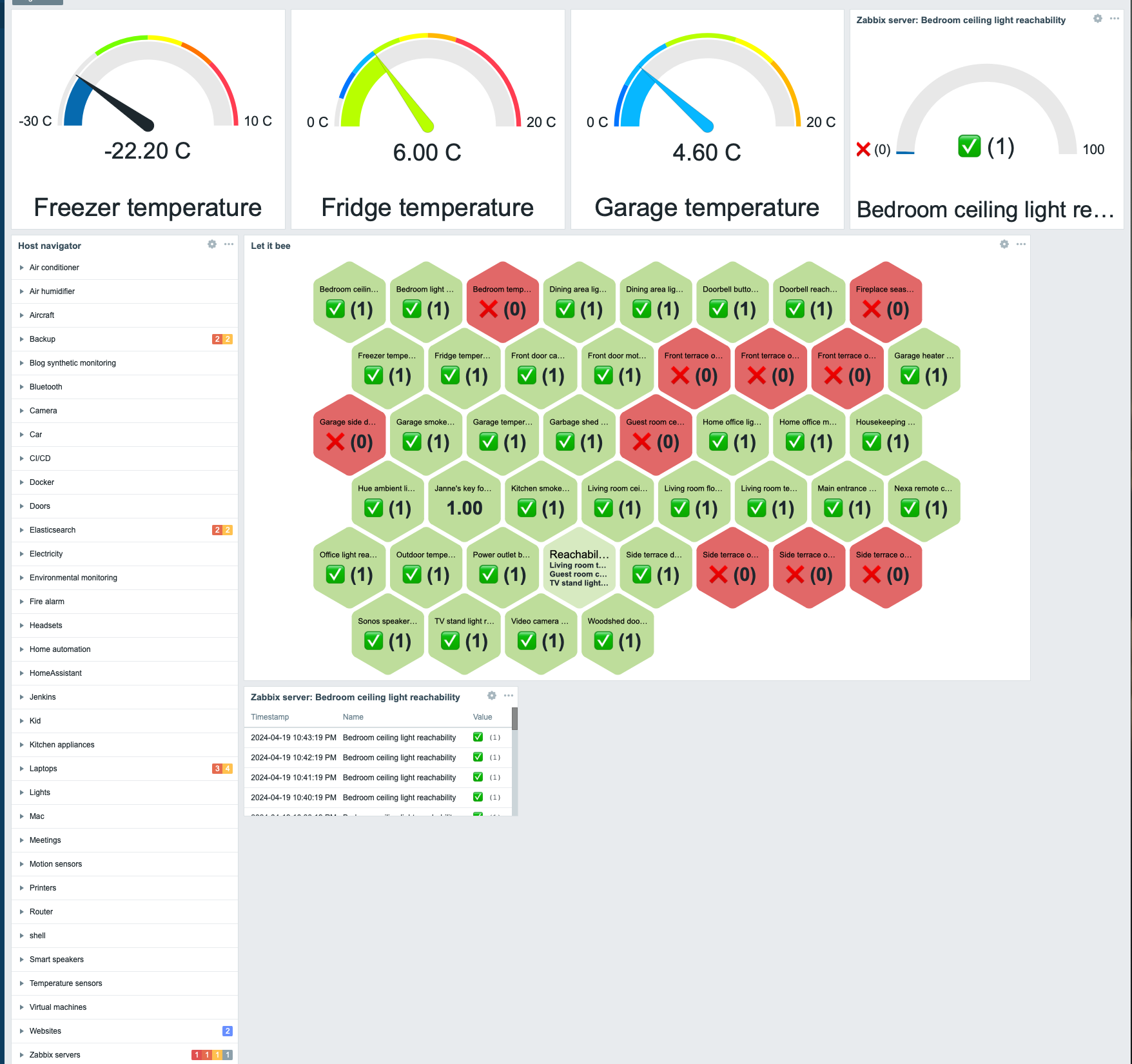
Whole dashboard

... and here's the Safari Timeline view for that.
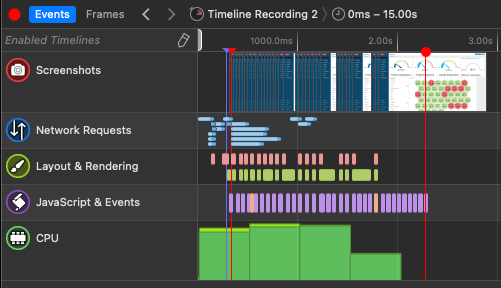
Timeline view for typical use case

So, overall in less than three seconds. Not too bad.



whatsuphome
zabbix
zabbix70
honeycomb
benchmark
  • Add new comment

Comments (2)

  • Allowed HTML tags: <a href hreflang> <em> <strong> <cite> <blockquote cite> <code> <ul type> <ol start type> <li> <dl> <dt> <dd> <h2 id> <h3 id> <h4 id> <h5 id> <h6 id>
  • Lines and paragraphs break automatically.
  • Web page addresses and email addresses turn into links automatically.

icons

norb (not verified)

1 year 9 months ago
Permalink
New

how did you get the icons in there?

  • Reply

I used value mapping

whatsuphome

1 year 9 months ago
Permalink
New

Just use Zabbix value mapping to replace some value with an icon and some other value with some other icon :)

  • Reply

In reply to icons by norb (not verified)

I stress tested the new Zabbix 7.0 Honeycomb widget by loading all 3172 active items from my home Zabbix into a single widget to see if it breaks. The dashboard loaded in under three seconds with the honeycomb rendering in about 14 seconds on my

Search

Who am I?

  • Janne Pikkarainen from Finland 🇫🇮
  • Began with computers in 1986 with C64
  • Doing IT for living since 1999
  • Principal Site Reliability Engineer at Forcepoint
  • A Zabbix Summit speaker every year since 2022
  • Walking, talking Zabbix commercial

Support my project

Buy me a coffee 

Footer menu

  • Contact

What's up, home? | Janne Pikkarainen | contact(at)whatsuphome.fi | 2022 - 2026

Developed and Designed by Janne Pikkarainen