
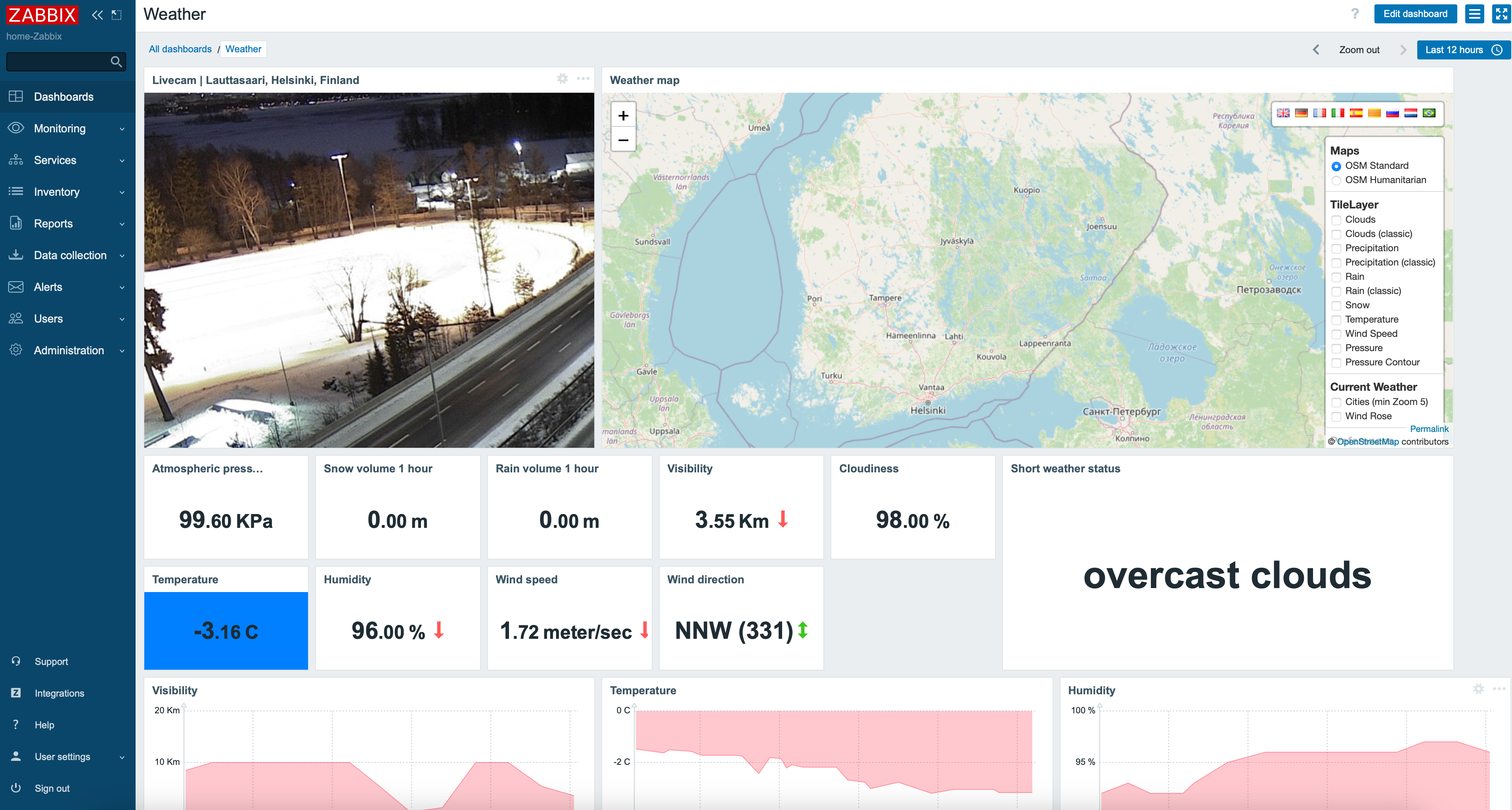
Can you create a proper weather dashboard with Zabbix? Of course you can! By day, I am a Lead Site Reliability Engineer in a global cyber security company. By night, I monitor my home with Zabbix & Grafana and do some weird experiments with them.
Since Zabbix 6.2 (or 6.0? Cannot remember...) has provided you an official OpenWeatherMap template. It gives you all the standard weather details: temperature, humidity, and so on, for any location you'd like to observe.
But, by default Zabbix does not come with a weather map template. Can we add one? Probably. I say probably, because looks like the free OpenWeatherMap account I created might not have enough credentials to show the layers. Still, let's give this a try!
(And before you ask why I did not just add another custom geomap provider under Zabbix Administration --> General --> Geographical maps -- I wanted to have these layer toggles for clouds etc, and that requires custom JavaScript)
Getting OpenWeatherMap account
Just go to OpenWeatherMap site and create an account for yourself. Soon enough, you'll get an API key you are supposed to use.
Embedding OpenWeatherMap to Zabbix UI
I found leaflet-openweathermap, and even though it's abandoned, the demo that comes with it seems to work just fine. Embedding that to Zabbix was not that of a big deal
- Clone the git project for yourself
- Copy the example somewhere where you can serve it, I did put it on my Zabbix server under /assets/openweathermap/ directory
- Load that map in an empty tab to verify you see it works for you
- With the default App ID that is bundled with the map the layers do work, but it would not be cool to use the author's API key as stated in the code
- Change the AppID to one you have received ... well, at this point it stopped working for me, but if you really need it, OpenWeatherMap is not that expensive
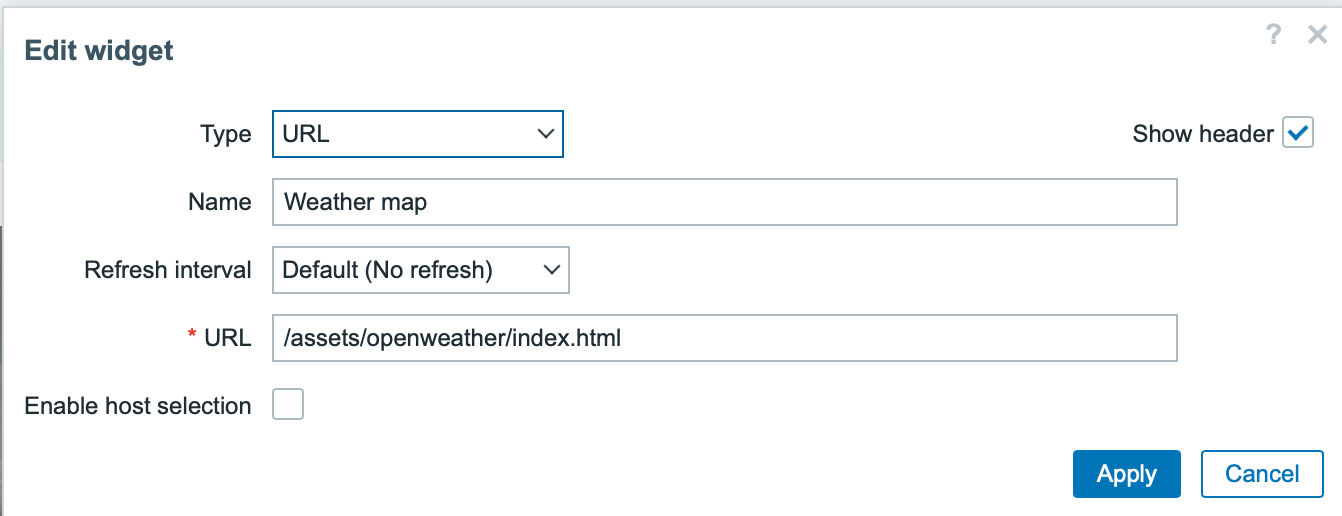
Then you can add it to Zabbix just by adding a new URL widget and pointing that to your location.
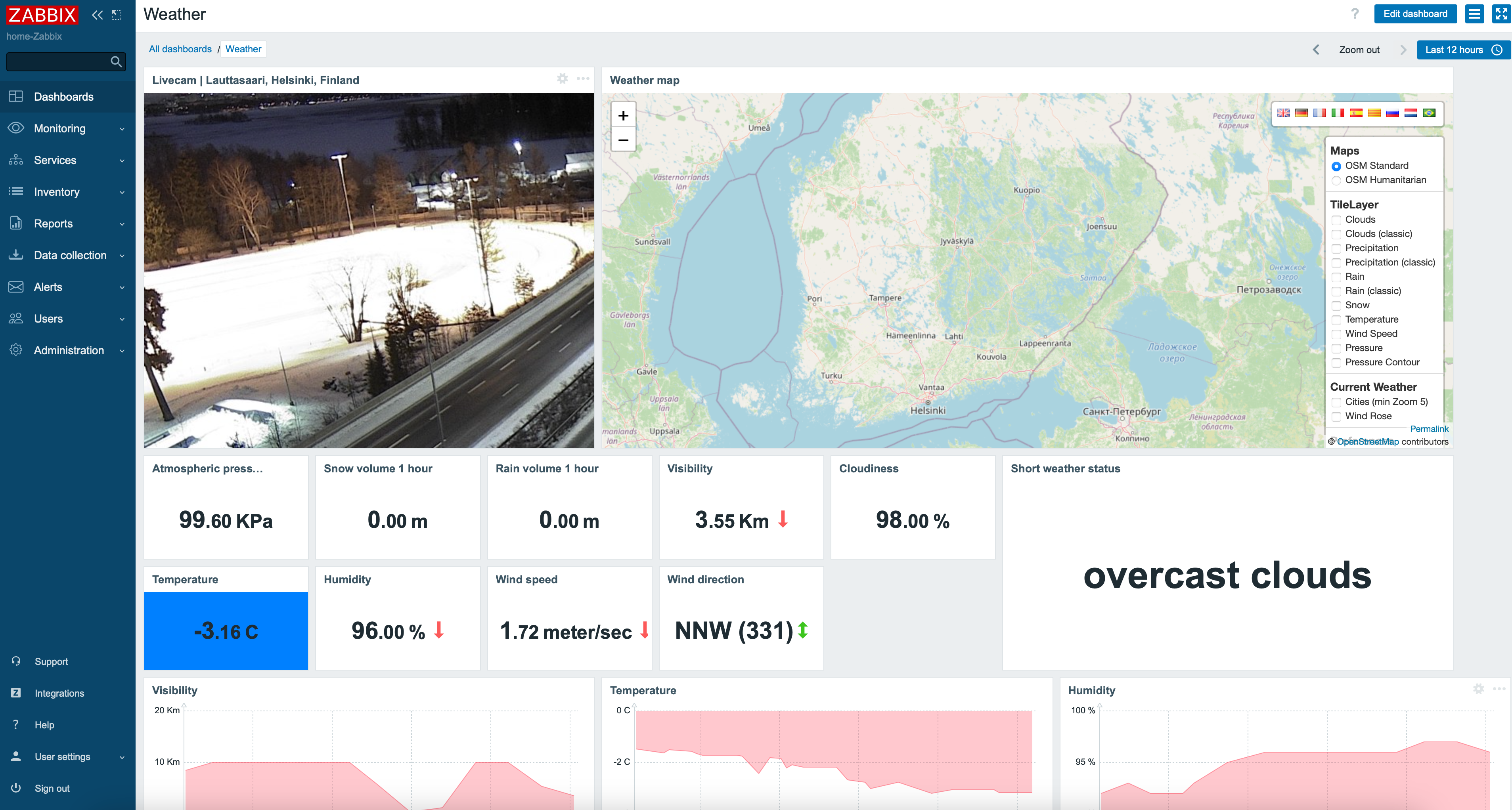
How does it look like?
Here we go! And, as an another idea for you, with the URL widget you can embed any camera input to your dashboard, too, some hints on part 21 of this blog I don't want to show you our own camera footage, so I added Lauttasaari, Helsinki location -- that is where Forcepoint has its office.
Get alerted
OpenWeatherMap would also support alerts about severe weather conditions, but another option for you would be to find out your local weather data from your nearest provider and use their open data for this; in Finland for example, Finnish Meteorological Institute has their own open data for one to use. Then just add those to Zabbix via HTTP Agent item type for example much like I did in part 32 of this blog, and you're done.

Comments (1)
Dear whatsuphome.fi…
Melissa Falbo (not verified)
Dear whatsuphome.fi administrator, Your posts are always well-referenced and credible.