
Skip to header Skip to main navigation Skip to main content Skip to footer

Search form

Site branding

Home
What's up, home?

Main navigation

  • Home
  • Story mode
  • About
  • Features
  • Hardware list
  • Videos
  • GitHub (opens in new tab)
  • Daily AI generated stories (opens in new tab)

Part 135: Cannot see that light

Breadcrumbs

Breadcrumb

  • Home
  • Part 135: Cannot see that light

Main page content

By whatsuphome | 7:00 AM EET, Fri November 07, 2025

TL;DR

When my kid started flipping light switches on and off, the Zigbee mesh network connecting our Philips Hue lights through Cozify started breaking down. Zabbix alerting and timeline analysis helped me identify the pattern and realize the mesh was going
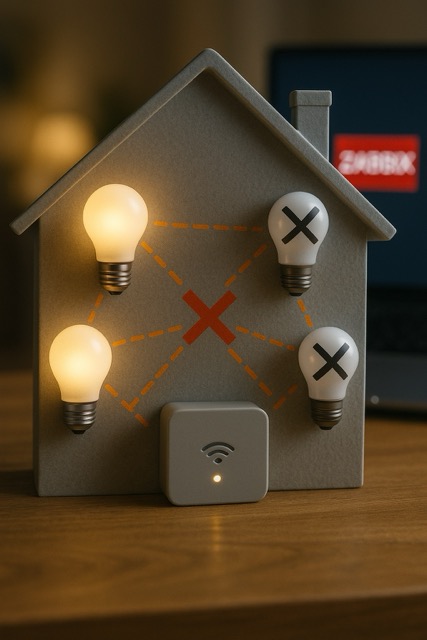
What's up, home? part 135 cover image

This post is very much related to my previous post -- how our kid now excitedly turns our lights on and off from wall switch. Before the phase we are now living through, our lights were managed either automatically or through Cozify app, so we could put whatever scene would be suitable on, to turn on multiple lights with the brightness level and color we want.

Bye bye, light

Philips Hue lights and other devices use Zigbee protocol to form a mesh network. Usually it is very reliable with devices rarely disappearing from our Cozify's radar. However, either its our old Cozify hub from 2017, or then the Zigbee mesh itself, but if you let a kid to manage the light switches, issues start to happen. Not all of the following lights diaappeared from the network because they would be physically powered down, but instead their communication to Cozify broke.
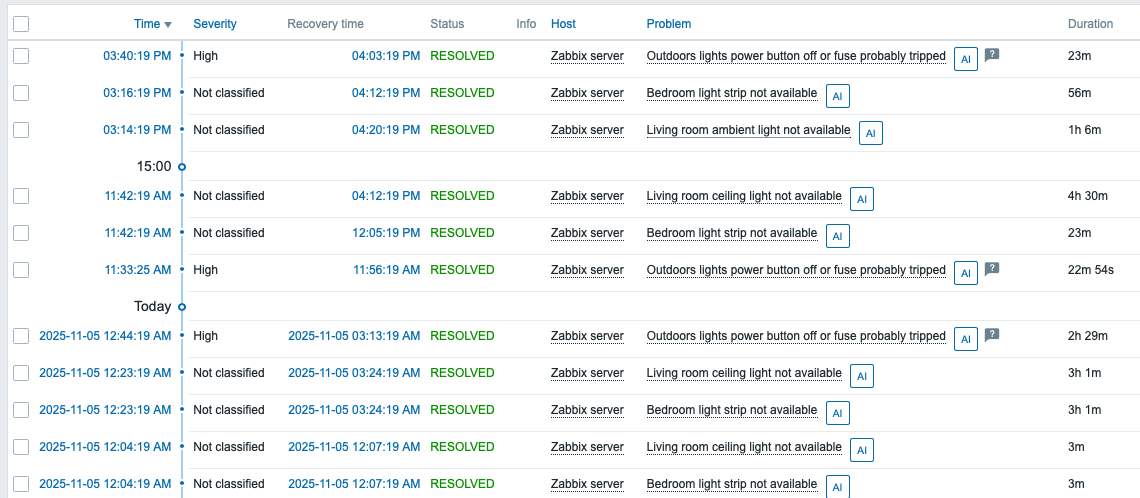
Recent light alerts

Once again it was Zabbix which made me realize that something wonky is going on. Thanks to its great alerting and the timelines that I can easily follow, I started to understand that the Zigbee network goes bonkers. I restarted the Cozify hub earlier today and ever since it has been smooth sailing again; we will see for how long that will last.

Like I mentioned in my Zabbix Summit speech back in 2022, Cozify is a great IoT hub, but it lacks in alerting and reporting. In theory I could setup alerting for each of these devices in Cozify, too, but doing that would be very cumbersome and limited. Of course, the app still shows the status with the dim items being unreachable.
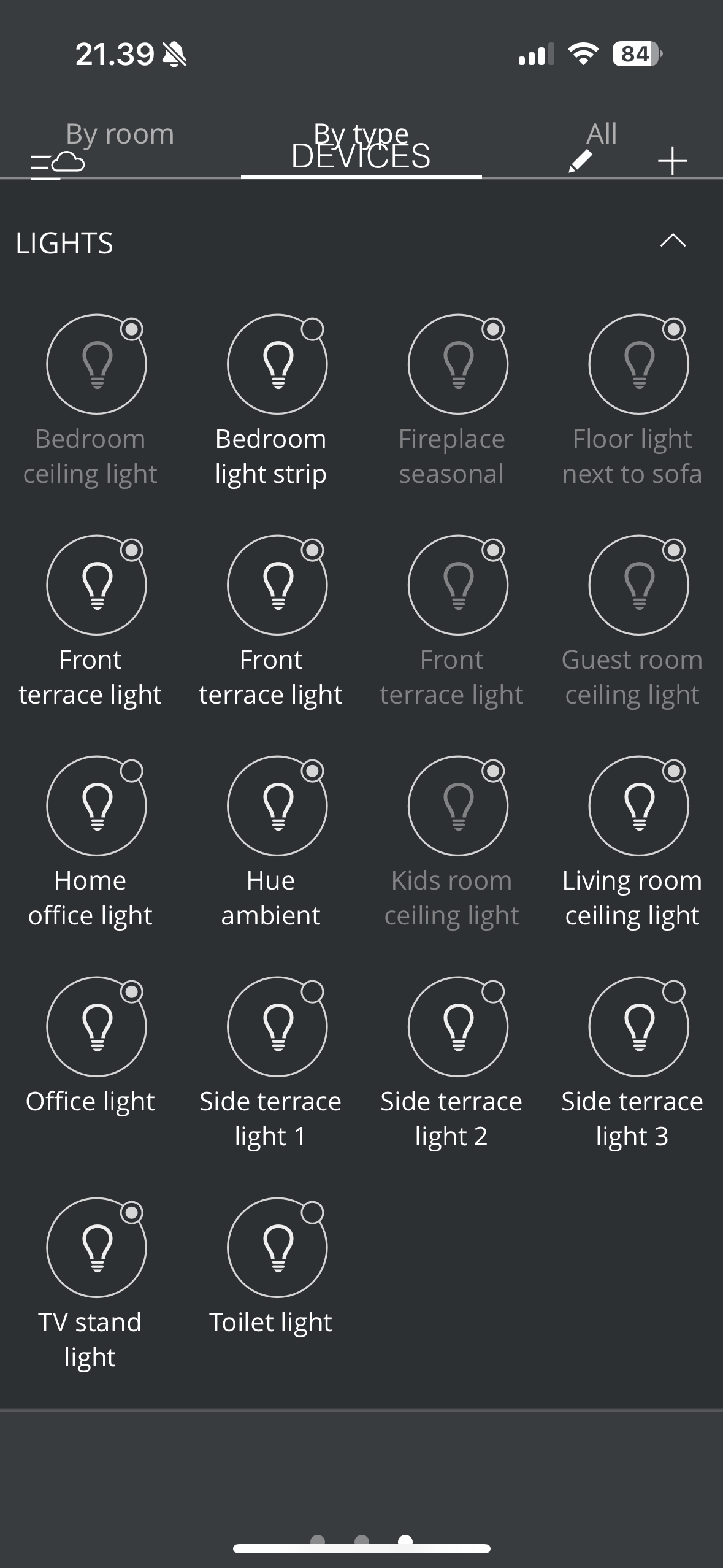
Cozify lights unavailable


But how to fix this?

No immediate fix, as of course we will let kid to use the light switches (in a nice way, no stroboscope style on-off-on-off-on-off...). Longer term, maybe I'll replace the light switches with IoT light switches which will turn off the lights but will leave them in standby mode instead of full power off. 

Another option would be to plug more Zigbee smart power sockets, as in my understanding those would still be part of the same Zigbee mesh, allowing the communication to continue even if many of the light bulbs would physically be off.

 

whatsuphome
zabbix
lights
zigbee
  • Add new comment

Comments (2)

  • Allowed HTML tags: <a href hreflang> <em> <strong> <cite> <blockquote cite> <code> <ul type> <ol start type> <li> <dl> <dt> <dd> <h2 id> <h3 id> <h4 id> <h5 id> <h6 id>
  • Lines and paragraphs break automatically.
  • Web page addresses and email addresses turn into links automatically.

Smart lighting really…

NDR Lighting (not verified)

6 months 3 weeks ago
Permalink
New

Smart lighting really changed the way we create ambiance and saved us a bunch of money in the long run. Totally worth it.

  • Reply

Oh yes it did

whatsuphome

6 months 2 weeks ago
Permalink
New
It's truly great when it works -- and luckily that's been my experience for most of the time since 2017. :) From choosing the brightness and color to the ability to remote control the lights from anywhere, or make them automatic based on any arbitrary rules, it's just amazing.
  • Reply

In reply to Smart lighting really… by NDR Lighting (not verified)

When my kid started flipping light switches on and off, the Zigbee mesh network connecting our Philips Hue lights through Cozify started breaking down. Zabbix alerting and timeline analysis helped me identify the pattern and realize the mesh was going

Search

Who am I?

  • Janne Pikkarainen from Finland 🇫🇮
  • Began with computers in 1986 with C64
  • Doing IT for living since 1999
  • Principal Site Reliability Engineer at Forcepoint
  • A Zabbix Summit speaker every year since 2022
  • Walking, talking Zabbix commercial

Support my project

Buy me a coffee 

Footer menu

  • Contact

What's up, home? | Janne Pikkarainen | contact(at)whatsuphome.fi | 2022 - 2026

Developed and Designed by Janne Pikkarainen