
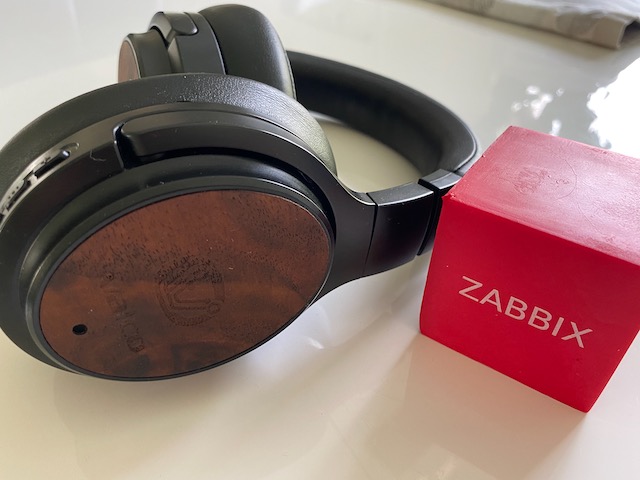
Can you monitor your Bluetooth headset usage hours with Zabbix? Of course you can! By day, I earn living by being a monitoring tech lead in a global cyber security company. By night, I monitor my home with Zabbix and Grafana and do some weird experiments with them. Welcome to my weekly blog about how I monitor my home.
I adjust and tweak myself with the power of music. Finding out root cause for a severe outage or just fixing some less severe error becomes much more epic if I listen to Hans Zimmer's music; trance, drum 'n bass, demoscene music, retro gaming music keeps me afloat if I have something simple, repetitive things to do; for some reason I write each and every of these home monitoring entries with the soundtrack from the latest Batman movie playing background, and so forth.
My music listening habits, the online meetings at work, and the fact that I mostly work from home, just like my wife, means that I use my Valco headphones several hours a day. Valco claims that their headset can provide about 40 hours runtime with a single charge, and that kind of must be true as I only charge the headset on Sundays for them to be ready for a new week on Monday morning.
But how much I really use my Valcos? Zabbix to the rescue!
Mac to Valco, Mac to Valco, please respond
As I use my headset mostly with a MacBook, I needed to find out how to get the connection status info from macOS command line. I am sure there are more sophisticated ways of doing this, but the sledgehammer method I used is good enough for my home use.
On macOS, system_profiler command gives you back tons of data, one of the elements being the Bluetooth devices. Sure enough, my Valco headset is visible there, and so is the connection status.

Now that I have the data available, I could send all this text output to Zabbix and use Zabbix item pre-processing. This morning (yes, I created this whole thing only two-three hours ago) I did something else though. You know, while I was testing if my attempt works in real-time, I created a terrible shell one-liner, which I now also use with Zabbix.
system_profiler SPBluetoothDataType 2>/dev/null | grep -A10 "Valcoitus Bass:" | grep "Connected:" | cut -d ':' -f2 | xargs -I '{}' zabbix_sender -z my.zabbix.server -s "Zabbix server" -k valco.connected -o '{}'
Beautiful? No. Does it work? Yes. If I remove the zabbix_sender part, this is what happens; it returns Yes or No, indicating if my headphones are connected or not.

In other words, theoretically this tells if my headset is powered on and if I am using them. In practise, I could of course have forgotten to turn the headset off, but that really does not happen.
My MacBook now runs the one-liner every minute via a cron job, so my Zabbix receives the data in near-enough real-time.
Zabbix time!
All my efforts and the zabbix_sender command are no good if I don't do something on Zabbix side, too.
With zabbix_sender, you need to setup a Zabbix trapper item on Zabbix. It's really not rocket science, check this out:

But wait! My shell responded back "Yes" or "No", but the Type of information is set to numeric. Am I stupid? Careless? No. There's also some preprocessing involved.

I changed the values to be numeric so I can get more fancy with Grafana later on; with numeric data I can get better statistics about how much I actually do use my headphones and get really creative.
Does it work?
Of course it does. Here's some latest data:

... and here's a graph:

I will tell you next week how many hours I have spent inside my active noise-cancelling bubble. Probably too many, any ear doctor would tell me.
I have been working at Forcepoint since 2014 and without music, would be way less productive.
